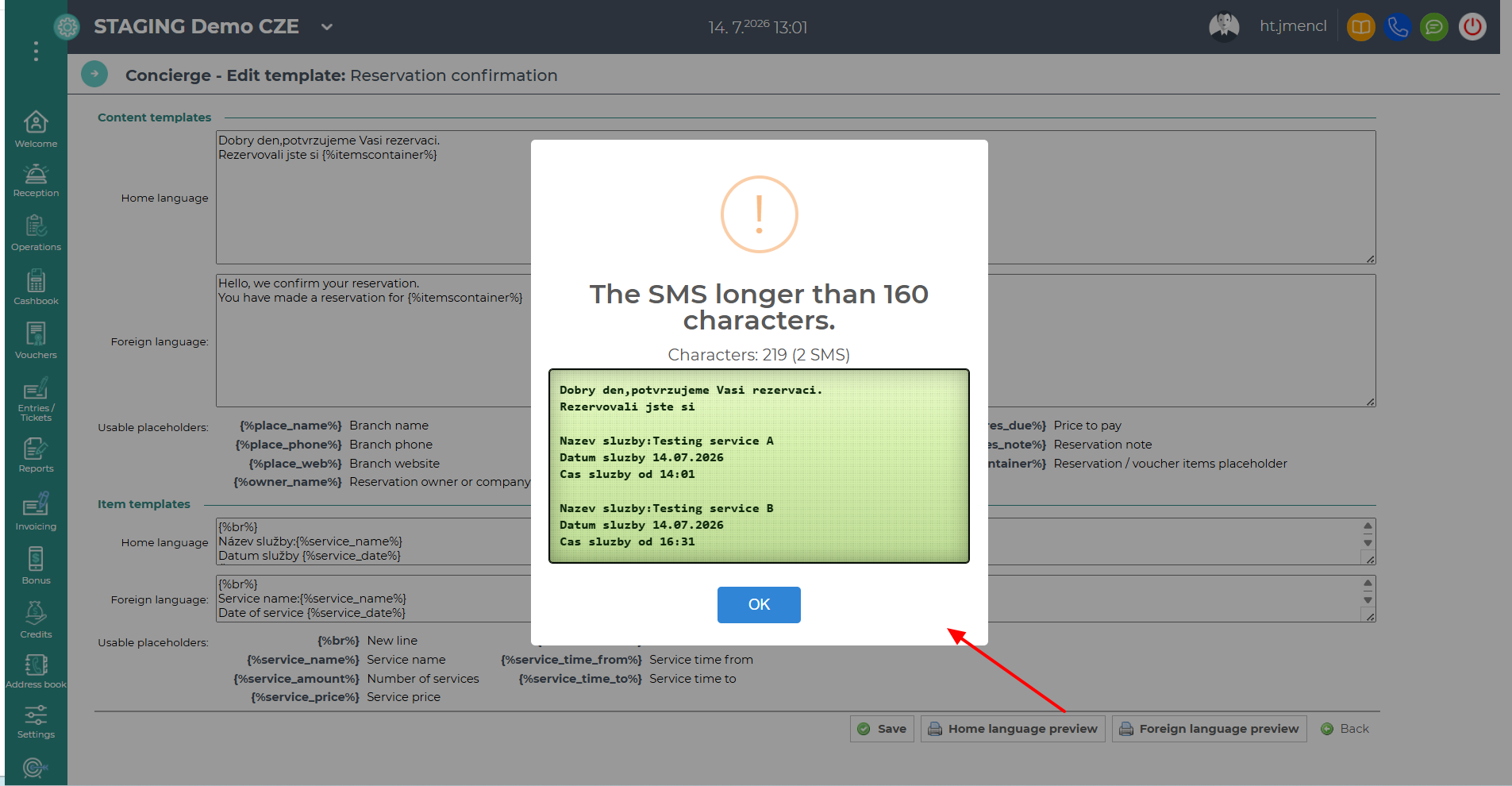
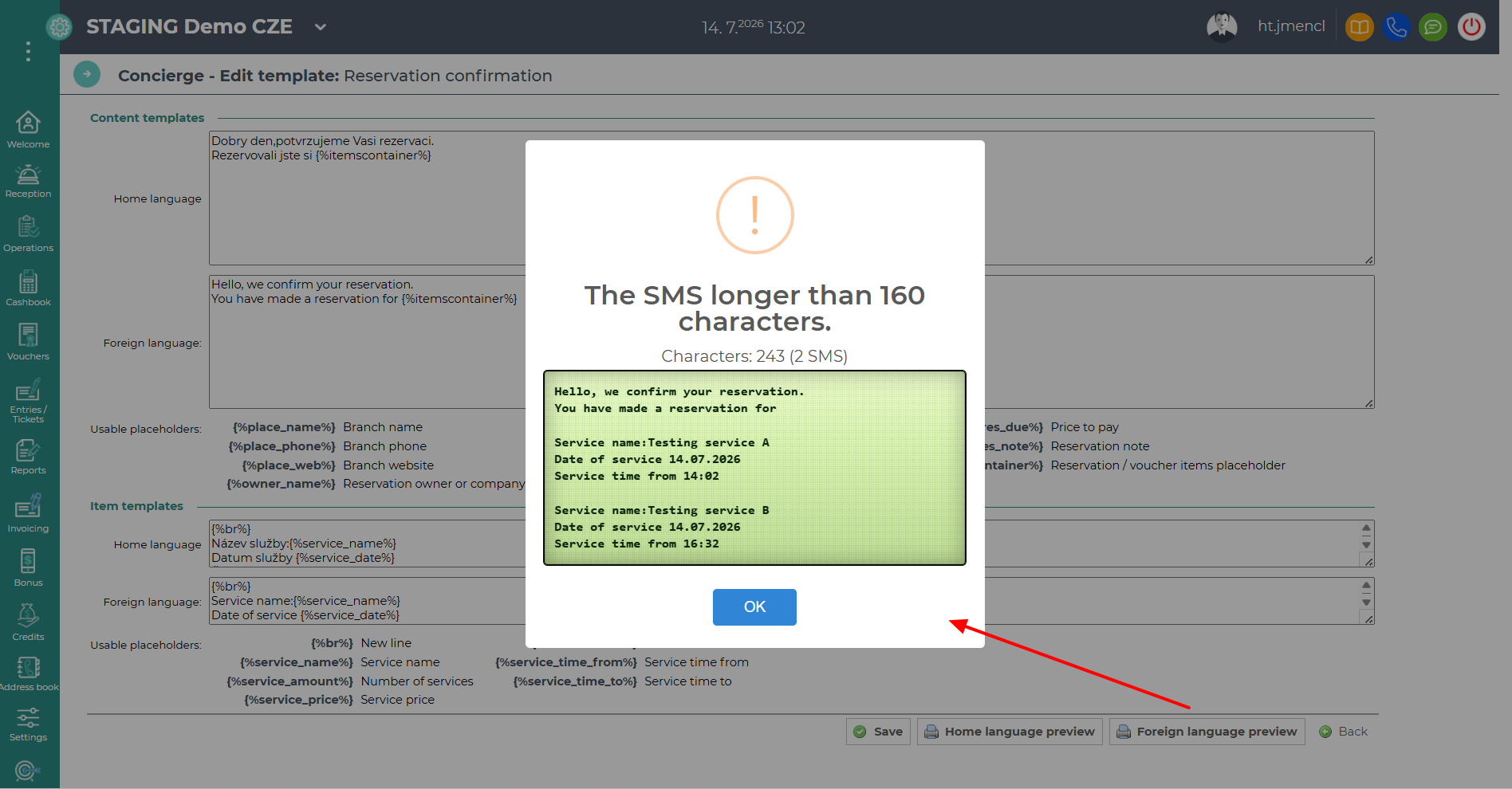
There are no default pre-defined templates for SMS Concierge. Each client creates their own SMS template according to their specific needs. No knowledge of HTML or coding is required – you can create a template simply by typing the text and inserting the available placeholders into each section.
You can find the settings under Concierge – List of SMS templates. Access requires the Concierge permission together with the Concierge – Edit Templates sub-permission.
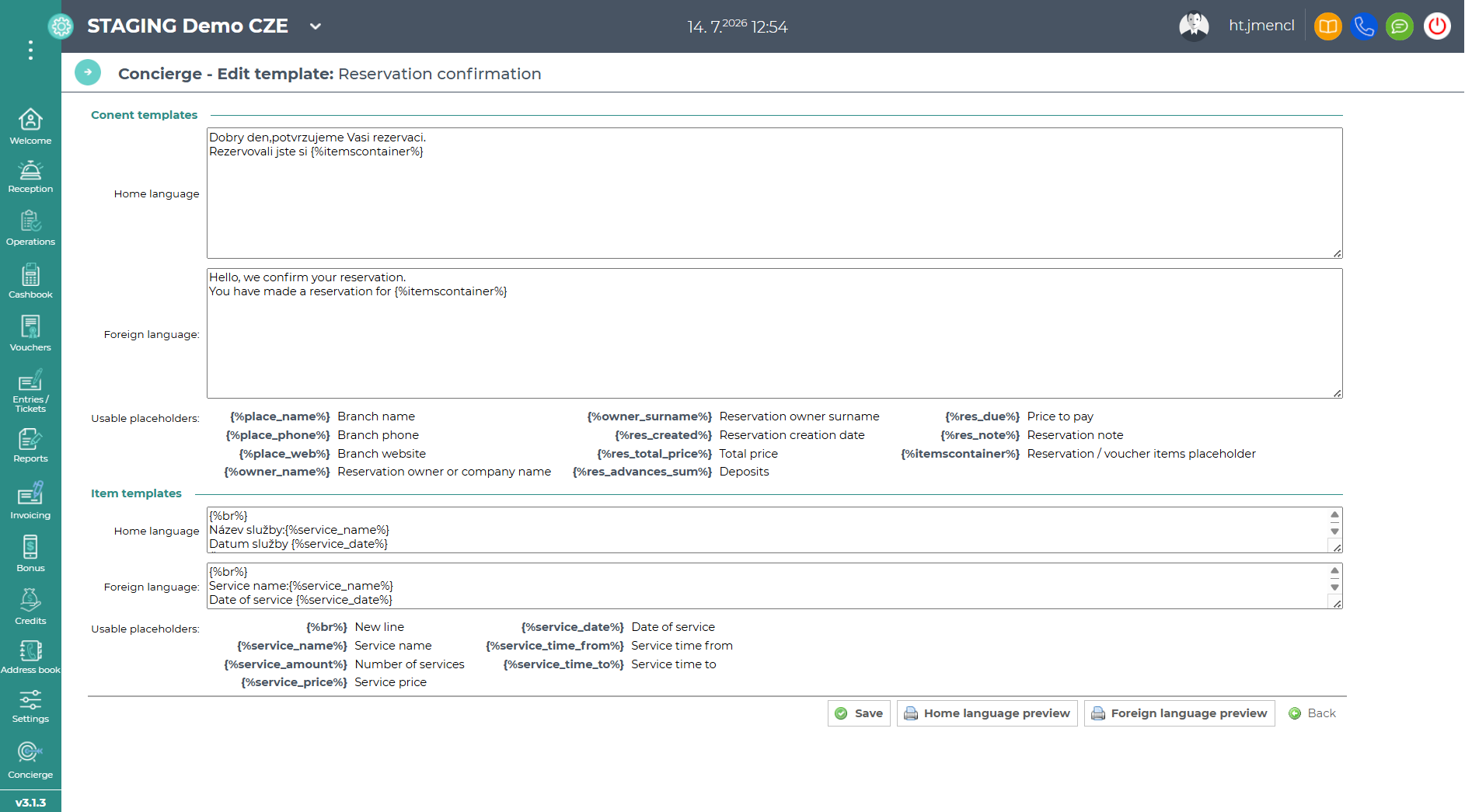
Content templates – the main part of the template containing the SMS text and structure. Most of the text will be entered here.
Item templates – this section defines how individual purchased services are displayed. It is inserted into the content template using the {%itemscontainer%} placeholder.
The {%service_time_from%} placeholder must be added to the item template together with the {%service_name%} placeholder.
If only the {%service_time_from%} placeholder is used, reserving two or more services will result in multiple times being displayed consecutively, without indicating which service each time belongs to.
Each displayed time corresponds to a specific service. Without the {%service_name%} placeholder, the resulting display would therefore be confusing and illogical.
Tip: Clicking a placeholder in the template settings will insert it into the text — making it easy to replace parts of your template with a placeholder in just one click.
Home language preview – used to test the preview in the home language.
Foreign language preview – used to test the preview in a foreign language.
The window also displays the calculated character count.